How to Pay KUKL Bill Online in Nepal
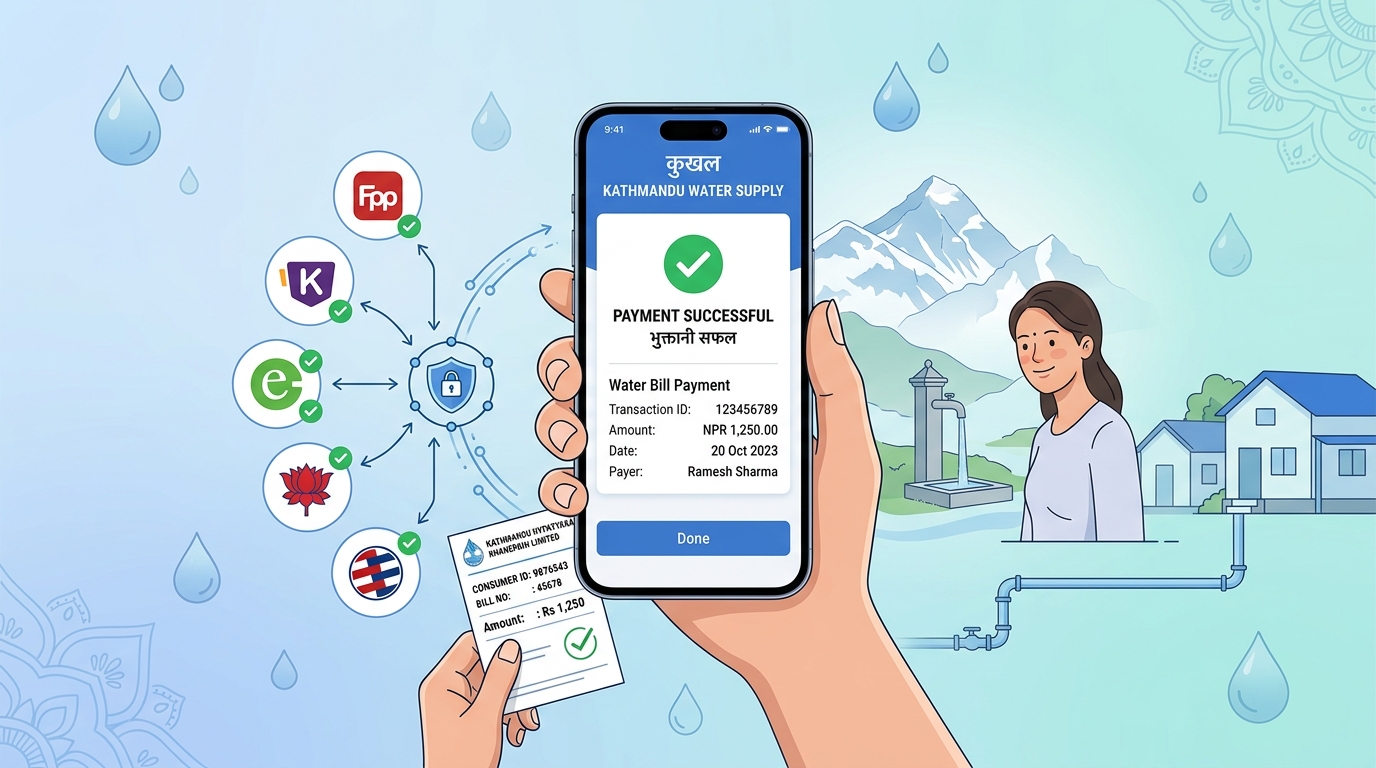
You can pay your KUKL bill (Kathmandu Upatyaka Khanepani Limited) online using the official KUKL Customer Portal, eSewa, Khalti, ConnectIPS, mobile banking apps, and other supported payment services. You will need your Customer Number and registered KUKL branch to get started. This guide covers how to check your bill, make payments, download statements, verify payment status, and troubleshoot common issues.
Before making a payment, you can estimate your monthly charges using our KUKL Water Bill Calculator to understand your expected bill based on your water consumption and current tariff rates.
Quick Answer: How to Pay KUKL Bill Online
You can check and pay your KUKL water bill online using:
- Official KUKL Customer Portal
- KUKL Customer App
- eSewa
- Khalti
- ConnectIPS
- Mobile Banking
- Fonepay Bills
You'll need:
- Customer Number
- Correct Branch
Where to Find Your KUKL Customer Number (Connection Number)
Your Customer Number, also referred to as the Connection Number, is the unique identifier used by Kathmandu Upatyaka Khanepani Limited (KUKL) to identify your water connection. It is required to check your bill, make online payments, download statements, and access customer services.
If you're paying your KUKL bill online for the first time, locating this number is the most important step.
You Can Find Your Customer Number On:
1. Previous KUKL Water Bills
The easiest place to locate your Customer Number is on an earlier KUKL water bill.
Most printed bills include:
- Customer Number
- Connection Number
- Customer Name
- Branch Office
- Billing Period
Keep a copy of your latest bill for future reference.
2. KUKL Customer Portal
If you already have an account on the KUKL Customer Portal, simply sign in and open your water connection details.
The portal displays:
- Customer Number
- Water Connection Information
- Billing Details
- Payment History
3. KUKL Customer App
The official KUKL Customer App also displays your registered connection information.
Navigate to: Water Connection → Connection Details
Here you can view:
- Customer Number
- Connection Information
- Branch Office
- Account Status
4. Previous Payment Receipts
If you've previously paid through eSewa, Khalti, ConnectIPS, or Mobile Banking:
Your payment receipt or transaction history may include your Customer Number or enough information to identify your account.
5. Contact Your KUKL Branch
If you cannot locate your Customer Number, contact your registered KUKL branch.
You may be asked to provide:
- Customer Name
- Property Address
- Branch Office
- Phone Number
- Citizenship or identification details (if required)
The branch can help you verify your connection details.
KUKL Online Payment Branch Coverage
KUKL online payment is available for branches including:
- • Baneshwor
- • Bhaktapur
- • Kirtipur
- • Lalitpur
- • Mahankalchaur
- • Maharajgunj
- • Thimi
Why Is the Customer Number Important?
Your Customer Number is required for almost every online KUKL service, including:
Without the correct Customer Number, online payment platforms cannot retrieve your billing information.
⚠️ Tips Before Making an Online Payment
Before entering your Customer Number:
- Double-check every digit.
- Select the correct KUKL branch.
- Verify that the customer name displayed matches your account.
- Review the outstanding amount before confirming payment.
Entering an incorrect Customer Number may display another customer's account or prevent the bill from loading.
How to Check Your KUKL Bill Online
Checking your KUKL bill online allows you to see your latest outstanding balance, previous payments, billing period, and invoice details before making a payment. You can check your bill through the official KUKL customer portal, the KUKL mobile app, digital wallets, or mobile banking applications.
If you also need to pay your electricity bill, you can use our NEA Bill Calculator to estimate your monthly Nepal Electricity Authority charges before making payment.
Method 1: Check Bill Using the Official KUKL Customer Portal
The official KUKL Customer Portal is the most comprehensive way to check your water bill online.
Steps
- Open the official KUKL Customer Portal.
- Sign in to your customer account.
- Select Billing or Water Connection.
- Choose your registered water connection.
- View your latest bill details.
KUKL Customer Portal Features
The KUKL Customer Portal allows customers to:
- View water bills
- Pay bills online
- Check payment history
- Download statements
- Download receipts
- Manage water connections
- Track tanker bookings
This is the recommended option if you regularly monitor your KUKL account.
Method 2: Check KUKL Bill Using the Mobile App
The official KUKL Customer App provides convenient access to billing information from your smartphone.
After signing in, customers can view:
- Current bill amount
- Previous bills
- Payment history
- Water connection details
- Invoice information
The mobile application is suitable for customers who frequently check their account without visiting the customer portal.
Method 3: Check KUKL Bill Through eSewa
You can also check your outstanding KUKL bill without completing the payment.
Steps
- Open eSewa.
- Select Khanepani.
- Choose your KUKL branch.
- Enter your Customer Number.
- Tap Get Details.
The application retrieves:
- Current outstanding amount
- Customer information
- Water connection details
- Payment due
You can decide whether to proceed with payment after reviewing the bill.
Method 4: Check KUKL Bill Using Khalti
Khalti offers a similar bill inquiry service before payment.
Steps
- Open Khalti.
- Navigate to Utilities.
- Select Khanepani.
- Choose the appropriate KUKL branch.
- Enter your Customer ID.
- Tap Verify Bill.
Your latest payable amount will be displayed instantly.
Method 5: Check Bill Through Mobile Banking
Most Nepali banks support bill inquiry before payment.
General process:
- Open your bank's mobile banking app.
- Go to Utility Payments.
- Select Water or KUKL.
- Choose your branch.
- Enter your Customer Number.
- Fetch the bill.
Many banking applications use the Fonepay Bills network to retrieve live billing information directly from KUKL.
Information You Can View Online
Depending on the platform you use, online bill inquiry may include:
The exact information displayed may vary by platform.
What You Need to Check Your KUKL Bill
Before checking your bill, keep the following information ready:
- Customer Number
- Connection Number
- Registered KUKL Branch
- Internet connection
- Access to the customer portal, digital wallet, or banking application
Providing accurate information ensures the correct account details are retrieved.
⚠️ Unable to Find Your Bill?
If your bill cannot be retrieved online, check the following:
- Customer Number is entered correctly.
- Correct KUKL branch has been selected.
- The water connection is active.
- There are no temporary service interruptions.
- The billing cycle has already been generated.
If the issue continues, you may need to contact your respective KUKL branch for assistance.
How to Pay Your KUKL Bill
Paying your Kathmandu Upatyaka Khanepani Limited (KUKL) water bill online is quick and secure. KUKL supports multiple digital payment channels, including its official customer portal, mobile app, digital wallets, internet banking, mobile banking, and QR-based payment systems.
To complete a payment, you usually need:
- Customer / Connection Number
- Registered KUKL Branch
- Internet or mobile banking access
- Digital wallet or banking application (optional)
Most online payments are processed instantly, allowing you to view your updated payment status immediately after the transaction is completed. You can also explore the Official KUKL Online Payment Service page for official notices.
General Steps to Pay KUKL Bill Online
- Open your preferred digital wallet or mobile banking application.
- Select Drinking Water or Khanepani bill payment.
- Choose your KUKL branch office.
- Enter your Customer or Connection Number.
- Verify your bill details.
- Complete the payment and download your receipt.
1. Pay KUKL Bill Through the Official Customer Portal
The official KUKL Customer Portal allows customers to manage their water account, pay outstanding bills, view invoices, and monitor payment history.
Steps
- Open the official KUKL Customer Portal.
- Log in using your registered account.
- Navigate to Billing or Payment.
- Select your water connection.
- Review the outstanding bill.
- Complete payment using the available payment options.
- Save or download your payment receipt.
The portal is the best option if you regularly need access to invoices, billing history, and account management.
2. Pay KUKL Bill Using the KUKL Customer App
KUKL also provides an official mobile application for Android and iOS users.
Using the mobile app you can:
- Check current water bill
- Pay outstanding bills
- View payment history
- Access billing information
- Manage multiple water connections
- Track tanker services (where available)
The app provides nearly the same features as the customer portal but is optimised for mobile devices.
3. Pay KUKL Bill via eSewa
eSewa is one of the most popular digital wallets in Nepal for utility payments.
Steps
- Open the eSewa app.
- Select Khanepani or Water Bill.
- Choose your KUKL branch.
- Enter your Customer/Connection Number.
- Verify your bill details.
- Complete payment.
- Download the digital receipt for future reference.
Payments are generally reflected shortly after successful processing.
4. Pay KUKL Bill via Khalti
Khalti also supports online KUKL bill payments.
Steps
- Open Khalti.
- Navigate to Utilities.
- Select Khanepani.
- Choose the appropriate KUKL branch.
- Enter your Customer ID.
- Verify the bill amount.
- Confirm payment.
- Save the receipt.
5. Pay KUKL Bill Using Mobile Banking
Most commercial banks in Nepal support KUKL bill payment through mobile banking applications.
Typical process:
- Log in to your bank's mobile banking app.
- Open Utility Payments.
- Select Drinking Water or KUKL.
- Choose the appropriate branch.
- Enter your Customer Number.
- Verify bill information.
- Confirm payment using your banking PIN.
Many banks process KUKL payments through the Fonepay Bills network.
6. Pay KUKL Bill Through ConnectIPS
Customers with a ConnectIPS account can also pay KUKL bills online.
General steps include:
- Log in to ConnectIPS.
- Open Utility Payments.
- Select KUKL.
- Enter your Customer Number.
- Verify the outstanding amount.
- Authorise the payment.
ConnectIPS is commonly used for secure bank-to-bank utility payments.
7. Pay KUKL Bill Using Fonepay Bills
Fonepay Bills integrates with numerous Nepali banks and mobile banking applications.
Payment process:
- Open your banking application.
- Navigate to Fonepay Bills.
- Select Water.
- Choose your KUKL branch.
- Enter your Customer Number.
- Review the bill.
- Complete payment.
This option is convenient if your bank supports Fonepay utility payments.
8. Banks Supporting Online KUKL Bill Payment
Several Nepali banks provide direct KUKL bill payment services through internet banking or mobile banking.
Commonly supported banking platforms include:
- • NIMB
- • Global IME Bank
- • NIC Asia Bank
- • Prabhu Bank
- • Kumari Bank
- • Siddhartha Bank
- • Everest Bank
- • Sanima Bank
- • Himalayan Bank
- • Other Fonepay-enabled banks
Availability may vary depending on your branch and banking platform.
Tips Before Paying Your KUKL Bill Online
Before making payment, verify:
- Correct Customer/Connection Number
- Correct KUKL Branch
- Outstanding bill amount
- Payment confirmation screen
- Digital receipt after successful payment
Keeping your payment receipt helps if you need to verify a transaction later.
Supported Payment Methods
Below is a quick comparison of the official and third-party payment platforms supported by KUKL.
Besides utility tools, NepaCalc also provides regularly updated financial resources such as the Live Gold Price in Nepal.
Supported Payment Platforms
- • KUKL Customer Portal
- • KUKL Customer App
- • eSewa
- • Khalti
- • ConnectIPS
- • Fonepay Bills
- • Mobile Banking
Payment Methods Comparison
| Payment Method | Bill Check | Bill Payment | Receipt | Payment History |
|---|---|---|---|---|
| KUKL Customer Portal | ||||
| KUKL Customer App | ||||
| eSewa | ||||
| Khalti | ||||
| ConnectIPS | ||||
| Mobile Banking | Depends on Bank | Depends on Bank |
Check Payment Status
After paying your KUKL water bill online, you may want to confirm whether the payment has been successfully processed. In most cases, online payments are updated automatically, but the processing time may vary depending on the payment platform and banking network.
You can verify your KUKL payment status using the official customer portal, KUKL Customer App, digital wallets, or your bank's transaction history.
Check Payment Status Through the KUKL Customer Portal
The official KUKL Customer Portal provides the most reliable payment information.
Steps
- Sign in to the official KUKL Customer Portal.
- Open the Billing section.
- Select Payment History.
- Review your recent transactions.
A successful payment will usually display:
- Payment date
- Transaction amount
- Payment reference number
- Payment status
- Updated outstanding balance
If the outstanding balance becomes zero, the payment has generally been processed successfully.
Check Payment Status Using the KUKL Customer App
Customers using the official KUKL Customer App can also verify recent payments.
Open the application and navigate to:
Billing → Payment History
You can review:
- Completed payments
- Pending payments
- Recent invoices
- Account balance
- Previous billing records
Check Payment Status in eSewa
If you paid through eSewa:
- Open the eSewa app.
- Go to Transaction History.
- Select the KUKL payment.
- Review the transaction details.
A successful transaction generally displays:
- Successful
- Completed
- Paid
You can also download the payment receipt for future reference.
Check Payment Status in Khalti
For Khalti users:
- Open Khalti.
- Navigate to Transaction History.
- Select the KUKL payment.
- View the payment status and receipt.
If the payment has been completed successfully, Khalti will display the transaction ID along with the payment confirmation.
Check Payment Status Through Mobile Banking
Most mobile banking applications maintain a complete payment history.
Simply:
- Log in to your banking app.
- Open Transaction History or Utility Payments.
- Locate your recent KUKL payment.
The banking application will usually display:
- Successful
- Pending
- Failed
- Reversed
along with the transaction reference number.
Understanding Different Payment Statuses
Successful
The payment has been processed successfully and your KUKL account balance should update shortly.
Pending
A pending payment usually means the banking network or payment gateway is still processing the transaction.
Most pending payments are completed automatically within a short period.
Avoid making another payment immediately unless the original transaction ultimately fails.
Failed
A failed payment means the transaction could not be completed.
Common reasons include:
- Poor internet connection
- Bank server downtime
- Incorrect customer information
- Insufficient account balance
- Payment gateway timeout
If money has been deducted but the payment failed, contact your payment provider before attempting another payment.
Reversed or Refunded
In some situations, a failed transaction may be automatically reversed.
The deducted amount is generally returned to the original payment source according to the payment provider's refund timeline.
What to Do if Your Payment Is Not Updated
If your payment status does not change even after completing the transaction:
- Wait for the payment gateway to finish processing.
- Refresh your billing information.
- Check your transaction history.
- Verify whether the payment amount has been deducted.
- Compare the transaction reference number with your payment receipt.
- Contact your payment provider if the issue persists.
Avoid making duplicate payments while a previous transaction is still being processed.
Information to Keep for Payment Verification
If you need support, keep the following details available:
- Customer Number
- Connection Number
- Registered Branch
- Transaction ID
- Payment Date
- Payment Amount
- Digital Receipt
- Bank or Wallet Name
Providing complete transaction information helps resolve payment issues more quickly.
Download Bill Statement & Receipt
KUKL customers can access their billing history, payment receipts, and previous invoices online through the official customer portal and supported payment platforms. Keeping a copy of your bill statement or payment receipt is useful for personal records, reimbursement claims, tenancy verification, or resolving billing disputes.
Depending on how you paid your bill, you can download your statement or receipt from the KUKL Customer Portal, KUKL Customer App, digital wallets, or your banking application.
Difference Between Statement and Receipt
Bill Statement
Shows billing period, consumption, and charges. It acts as an invoice of your dues.
Payment Receipt
Confirms successful payment for a transaction. It proves you have paid the bill.
Both can usually be accessed online through the KUKL portal.
Understanding Your Water Bill
Your bill statement includes important details like your billing period, total units consumed, minimum charges, sewerage charge (which is 50% of your water charge), and total dues.
If you're comparing household utility expenses, you may also want to check the latest Electricity Unit Price in Nepal alongside your monthly water charges.
Download Bill Statement from the KUKL Customer Portal
The official KUKL Customer Portal stores your billing records and payment history.
Steps
- Sign in to the KUKL Customer Portal.
- Open the Billing section.
- Navigate to Payment History or Invoices.
- Select the billing period you want to view.
- Open the bill details.
- Download or print the statement if available.
The portal may display:
- Monthly bill
- Water consumption
- Sewerage charge
- Outstanding balance
- Payment history
- Invoice details
Download Payment Receipt Using the KUKL Customer App
The official KUKL Customer App allows customers to review completed payments.
Open:
Billing → Payment History
From there you can review completed transactions and access available payment information for your account.
Download Receipt from eSewa
If you paid using eSewa:
- Open the eSewa application.
- Go to Transaction History.
- Select the completed KUKL payment.
- Open the transaction details.
- Download or save the digital receipt.
The receipt normally includes:
- Transaction ID
- Payment date
- Payment amount
- Merchant information
- Payment status
Download Receipt from Khalti
Khalti also provides downloadable payment records.
Steps
- Open Khalti.
- Navigate to History.
- Select your completed KUKL payment.
- View the payment details.
- Save or download the receipt.
Keeping a copy of the receipt is recommended for future reference.
Download Receipt from Mobile Banking
Most Nepali banks maintain digital payment records.
To retrieve your receipt:
- Log in to your mobile banking application.
- Open Transaction History.
- Locate the KUKL payment.
- View the transaction details.
- Download or save the receipt if your banking app supports it.
Some banks also allow customers to email the receipt directly.
What Information Is Included in a KUKL Bill Statement?
A typical KUKL bill statement may include:
The exact information displayed may vary depending on the service used.
Why Download Your KUKL Bill or Receipt?
Maintaining copies of your bills and payment receipts can help you:
- Verify successful payment
- Track monthly water expenses
- Resolve billing discrepancies
- Maintain financial records
- Support rental or office documentation
- Reference previous billing periods
Downloading receipts immediately after payment is considered good practice.
⚠️ Unable to Download Your Statement?
If your bill statement or receipt is unavailable:
- Confirm that the payment has been completed successfully.
- Refresh your payment history.
- Check whether you're signed in to the correct account.
- Verify the selected billing period.
- Wait if the payment was completed only recently, as records may take some time to appear.
If the issue continues, contact your payment provider or KUKL customer support.
Common Problems
While most KUKL bill payments are processed successfully, customers may occasionally experience issues such as payment failures, pending transactions, incorrect bill information, or difficulty retrieving their account. Understanding the common causes can help you resolve the problem quickly and avoid duplicate payments.
1. Payment Is Showing as Pending
A Pending status usually means the payment gateway or banking network is still processing your transaction.
What You Should Do
- Wait a few minutes and refresh your billing information.
- Check your transaction history in your banking app or digital wallet.
- Verify whether the payment amount has already been deducted.
- Do not make another payment while the transaction is still pending.
If the payment remains pending for an extended period, contact your payment provider before attempting another transaction.
2. Payment Failed but Money Was Deducted
Sometimes the payment may fail due to network interruptions or banking server issues even though the payment amount has been deducted.
Recommended Steps
- Save the transaction reference number.
- Check your payment status again after some time.
- Verify whether the bill is still outstanding.
- Contact your payment provider if the amount has not been credited to your KUKL account.
Most failed transactions are either completed later or automatically refunded according to the payment provider's policies.
3. Unable to Retrieve Your Bill
If your bill cannot be fetched online, the issue is usually related to incorrect account information.
Check the Following
- Customer/Connection Number is entered correctly.
- Correct KUKL branch has been selected.
- The water connection is active.
- The billing cycle has already been generated.
- There are no temporary service interruptions.
If everything appears correct but the bill still cannot be retrieved, contact your respective KUKL branch.
4. Incorrect Bill Amount Displayed
If the displayed amount appears different from what you expected:
- Compare it with your previous bill.
- Check whether older unpaid balances have been carried forward.
- Verify the billing period.
- Confirm that you are viewing the correct water connection.
If you believe the amount is incorrect, avoid making assumptions and contact KUKL customer support for clarification.
5. Payment Successful but Bill Still Appears Unpaid
In some cases, billing systems require additional time to synchronize payment information.
Before Reporting the Issue
- Refresh the customer portal.
- Log out and sign in again.
- Check your payment history.
- Wait for the payment system to complete synchronization.
If the bill continues to appear unpaid after a reasonable processing period, provide your transaction reference number when contacting customer support.
6. Customer Number Not Working
If your Customer Number returns an error:
- Verify every digit carefully.
- Select the correct KUKL branch.
- Ensure you are using the latest Customer Number shown on your bill.
- Confirm that your connection is active.
Using the wrong branch with the correct Customer Number may also prevent your bill from loading.
7. Digital Wallet or Banking App Error
Occasionally, payment applications may display temporary service errors.
Possible reasons include:
- Internet connectivity issues
- Scheduled banking maintenance
- Payment gateway downtime
- Temporary server overload
Retry the transaction later instead of submitting multiple payment requests.
Best Practices Before Paying Your KUKL Bill
To avoid payment issues:
These simple checks can prevent most common online payment problems.
Frequently Asked Questions
How can I check my KUKL bill online?
You can check your KUKL bill online through the official KUKL Customer Portal, the KUKL Customer App, digital wallets like eSewa and Khalti, or mobile banking applications supporting Fonepay Bills.
How can I pay my KUKL bill online?
Open your preferred banking app or digital wallet, select Drinking Water or Khanepani, choose your KUKL branch, enter your customer or connection number, verify the bill and complete payment.
Can I download my KUKL bill statement?
Yes. You can download your billing history and payment statements from the official KUKL Customer Portal or the KUKL Customer App.
Which payment methods does KUKL support?
KUKL supports payments through its customer portal, mobile application, eSewa, Khalti, ConnectIPS, Fonepay-enabled mobile banking, and selected commercial banks.
Related Searches
Can I pay KUKL bill without login?
Yes. Digital wallets like eSewa and Khalti, as well as most mobile banking applications, allow you to check and pay your outstanding KUKL bill directly using only your Customer Number and branch, without needing to create a portal account.
Can I pay KUKL bill from abroad?
Yes, as long as you have access to a Nepali digital wallet (like eSewa or Khalti) or a Nepali mobile banking app connected to your Nepali bank account, you can pay your KUKL bill from anywhere in the world.
How long does payment update?
Most online payments are updated immediately. However, depending on network or server sync times, it may occasionally take a few hours for the balance to reflect as zero on the official portal.
Can I download old bills?
Yes, if you use the official KUKL Customer Portal, you can access your billing history and download previous bill statements and invoices from past billing cycles.
Can I pay multiple bills?
Yes. If you have outstanding bills from several past months, the payment platforms will usually aggregate the total due. You can pay the entire outstanding amount in a single transaction.
Can I pay through QR?
Yes, many branches and KUKL collection counters now support Fonepay QR. Additionally, Fonepay Bills inside your banking app allows direct KUKL payments without scanning a physical QR.
Can I check KUKL bill on mobile?
Yes. You can use the official KUKL Customer App available for Android and iOS, or check directly through the web portal or your preferred digital wallet app on your smartphone.
About this guide
This guide is maintained by NepaCalc and reviewed periodically against official KUKL payment services and supported payment platforms. While payment methods may change over time, we update this guide whenever official procedures change.
Need to calculate your monthly water bill before making a payment?
Use our KUKL Water Bill Calculator to estimate your bill based on the latest tariff rates, then return here to check your balance or pay online.
Calculate KUKL Bill Now